Smart Home Technology for Aging in Place: What Actually Helps
This post contains affiliate links. If you buy through them I may earn a small commission at no extra cost to you. How that works.
Disclosure: Well Aging Home participates in affiliate programs. If you buy through our links, we may earn a small commission at no extra cost to you.
Smart home technology has become one of the most powerful tools in aging-in-place design — not because of any single gadget, but because of what it enables: automation of the repetitive, monitoring of the important, and support for independence without surveillance. Done right, it’s invisible and reliable. Done poorly, it’s confusing and quickly abandoned. This guide covers what actually helps.
The Core Question: Does It Reduce Effort or Add Complexity?
A light that turns on automatically when you walk into a room reduces effort. A light that requires a voice command, an app, or a multi-step process adds complexity. For aging-in-place technology, complexity is the enemy. Choose systems that work automatically or with minimal interaction.
Lighting Automation
Motion-activated lights that turn on when you enter a room eliminate the need to find switches in the dark — one of the simplest, most effective fall prevention measures available. Systems like Lutron Caseta are ideal: reliable, no hub required, work with standard light switches, and integrate with voice assistants optionally. Automated lighting in hallways, bathrooms, and the bedroom-to-bathroom path provides 24/7 coverage without any interaction required.
Water and Leak Detection
Smart water sensors under sinks and near water heaters send an alert the moment moisture is detected. The Flo by Moen Smart Water Monitor goes further — monitoring flow patterns for anomalies, with remote water shutoff capability. Minimal setup, enormous peace of mind for both homeowner and family members.
Voice Assistants: The Useful Parts
Voice assistants (Amazon Echo, Google Home) work well for: medication reminders, hands-free calls to family, controlling lights and thermostats, and getting information without typing. Place them in the bedroom, kitchen, and living room. Program family contacts and set up morning and bedtime routines. Don’t rely on them as the primary interface for complex systems.
Medical Alert Systems
The best system is the one actually worn. Modern options include sleek wristbands, discreet pendants, and Apple Watch integration with automatic fall detection. Key features: fall detection (automatic, not just manual), GPS for out-of-home coverage, two-way communication, and multi-day battery life. Automatic fall detection is worth the upgrade — the situations where you can’t press a button are exactly the situations you’re planning for.
Smart Door Locks
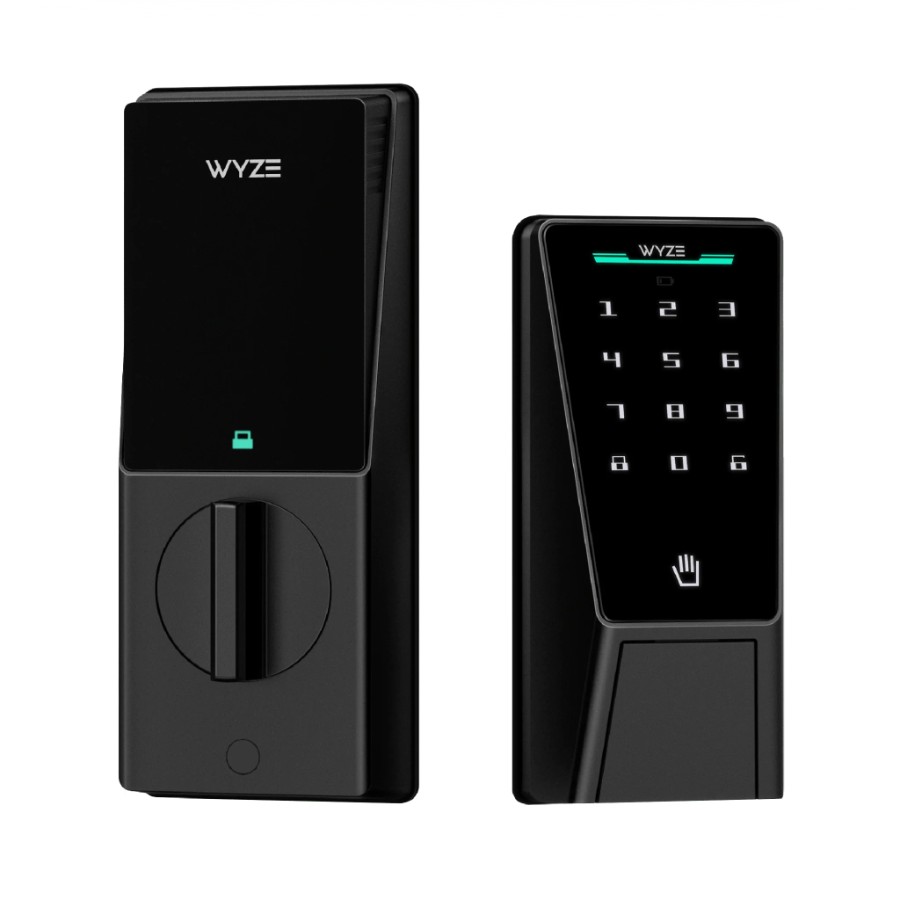
Keypad entry eliminates key management — a genuine quality-of-life improvement for anyone with dexterity challenges, and practical for providing access to caregivers or family without creating physical keys. Look for: keypad entry, auto-lock, and time-limited codes for specific people.
Medication Management
Medication errors — missed doses, wrong medication, double doses — are a significant health risk with complex prescription regimens. Smart pill dispensers (see also the no-subscription MedaCube) like the Hero system automate dispensing by time and dose, send reminders, and alert family members for missed doses. For complex regimens, these devices pay for themselves in avoided errors.
What to Skip
Skip systems requiring an app for basic functions. Skip devices with complex setup that fails after power outages. Skip anything the person won’t actually use. A brilliant system that goes unused because it’s too complicated provides zero benefit.
The One Rule
The best aging-in-place smart home technology works without the resident thinking about it. Automatic. Reliable. Invisible. Motion-activated lighting and a quality medical alert system are the foundation. Build complexity slowly, only when simpler things are working reliably and there’s a clear need for more.